
Show Tombs
Turn off Luggage, Belltowers, Animals, and Amulets. Select the Tomb marker so its name and icon confirm that the correct point is active.
Scroll to zoom. Drag the map to move. Select a marker for the item name and icon.
 Loading live mapFetching today's terrain and markers…
TOMB LOCATION GUIDE
A Tomb marker narrows the search area; it does not remove the route problem. Use the live map to isolate the entrance, match the nearby terrain, and decide whether the party can leave and rejoin the climb.
ENTRANCE FIRST
Tomb searches fail when a marker is treated as a destination without a route. The map gives you the position; the terrain tells you whether the position is actionable.
Start by opening the current biome and switching off every layer that does not answer the Tomb question. A clean map makes the pin easier to select and the nearby terrain easier to remember. Zoom in around the marker, then look for a deep opening, rock structure, edge, or other large shape that can be recognized after the map is closed. That second reference matters when the entrance is not visible from the direction the party reaches it.
Tomb access can also vary with the current rotation and the route into the level. A marker is evidence of a reported location in the map data; it is not a guarantee that the entrance is open, convenient, or safe. Plan the return before the group descends. If the only route back depends on guessing, the correct decision may be to continue the climb.
The entrance search works best as a short loop. Inspect the broad route, focus the Tomb layer, select the marker, and then look away from the screen long enough to identify the same shape in the game. If the first comparison fails, reset the view and check the level before moving farther. Repeating a small verification loop is safer than following a pin deeper into terrain that no longer matches.
Players looking for a Tomb often want the entrance immediately, yet the useful answer includes the approach and the exit. Note whether the marker sits above, below, or beside the required path. Then decide where the party can pause, turn around, and recover its bearings. This small route description is easier to use than a bare coordinate when the group is moving through changing terrain.
The entrance may be obvious from one direction and hidden from another. Read the map from the route the party will actually travel, not from the most attractive angle. A marker on the far side of a structure can require a different entry point than the broad image suggests. Make the first approach specific, then keep an alternative landmark ready if the opening is not visible.
TOMB-ONLY WORKFLOW
Use the controls in a fixed order so the map answers the entrance question without extra visual noise.
Turn off Luggage, Belltowers, Animals, and Amulets. Select the Tomb marker so its name and icon confirm that the correct point is active.
Increase the map scale until the nearest ridge, shelf, or structure is easy to compare with the game. Keep the broad route visible before going closer.
Identify the landmark that brings the party back to the main climb. Do not start a descent without a clear return direction.
TERRAIN CHECK
The opening tells you where to look. The route tells you whether to spend time looking there.
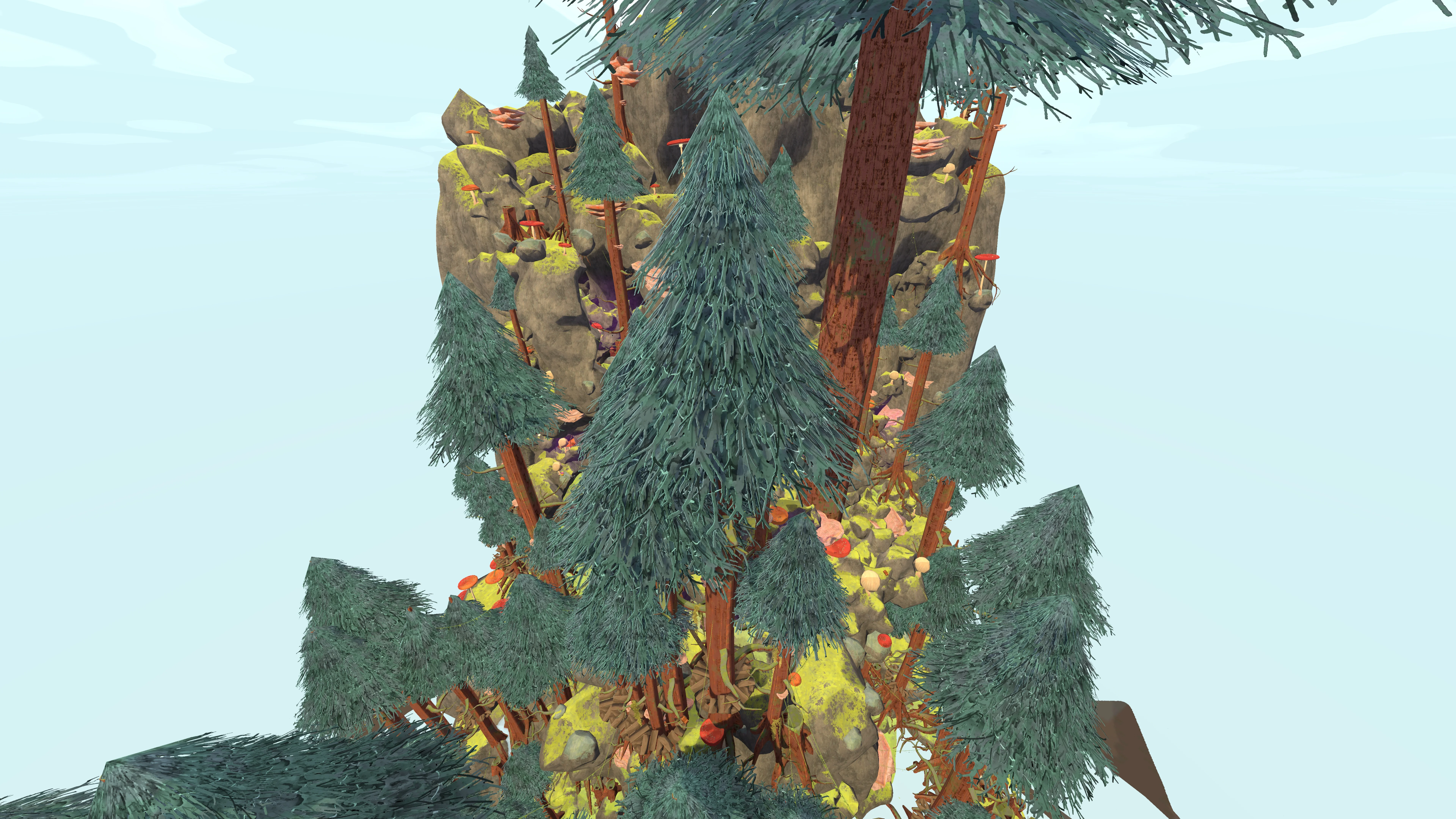
Use a recognizable Tropics feature to connect a Tomb marker with the route into the level.
When you inspect a Tomb marker, avoid focusing on the pin alone. Trace back to the mandatory route and note the point where the optional path begins. Then inspect the terrain around the opening. A marker beside the climb may be worth a quick check; the same marker beyond a long descent needs a stronger reward and a safer return path.
The image is most helpful when you can describe it in plain language: “the entrance is past the dark shelf, below the bend,” or “the marker sits behind the next rock line.” That description gives the group a shared callout and reduces repeated map checks during the climb.
ACCESS DECISION
Treat the detour as a small route with an entry cost and an exit requirement.
Check the distance from the required path first. Then check the shape between the path and the entrance. A wide open approach is easier to evaluate than a route that disappears behind elevation or a narrow passage. Finally, check the group’s recovery margin. A Tomb can be close on the map and still be the wrong choice if reaching it leaves no room for the climb that follows.
Make the decision explicit before moving: go now, mark it for the return, or skip it. This prevents a common failure mode in which one player follows a pin while the rest of the party keeps climbing. The map is doing its job when everyone understands why the group is taking or rejecting the detour.
WHEN THE PIN DISAPPEARS
Check the map state before assuming that the current rotation removed the Tomb.
Tomb points belong to a level. Use the previous and next controls to return to the biome where the route is being played.
The Tomb checkbox controls visibility. “Show all” can restore the category, while a focused Tomb-only state keeps the map readable.
Compare Last update with the current daily cycle. A packaged map can lag the rotation you have just entered.
FINAL VERIFICATION
The final check happens in the game, where hazards, access, and stamina are visible.
Before committing, match at least one large shape from the map with the current game view. Confirm that the entrance sits where the marker suggests and that the route back remains plausible. If the party cannot identify the same terrain, stop and recheck the level, angle, and timestamp. A few seconds of verification can prevent a long descent into a dead end.
This approach also keeps the guide useful after updates. When the game changes a route, the map may still point toward the right area while the practical entrance changes. The player who checks the terrain can adapt; the player who follows a pin blindly cannot.
Use a second landmark when the Tomb sits in a busy part of the image. The marker identifies the target; the second landmark tells the party how to approach it. A rock edge, opening, or route bend can also help the group recover its position if the entrance is missed on the first pass. Keep that landmark visible until the party has either confirmed the opening or returned to the main climb.
If the first approach is blocked, do not immediately assume the location is wrong. Compare the view angle, inspect the neighboring terrain, and check whether a side view gives the entrance more context. When the expected landmark is still absent after those checks, return to the mandatory route. The map remains useful because it helped identify the point where verification failed.
A Tomb search should leave the group with a clear outcome: entrance confirmed, entrance deferred, or entrance skipped. Record that outcome in the route call so the same marker does not pull the party back repeatedly. The map is especially helpful for this because the selected marker, layer state, and surrounding terrain can be checked again without rebuilding the search from memory.
QUICK ANSWERS
Short answers for the decisions that affect today's route, markers, and detours.
Open the active biome, turn on Tombs, select the marker, and match its nearby terrain with the current game before taking the detour.
No. It identifies a reported map location. Entrance access, hazards, and the return route require in-game verification.
Check the selected biome, Tomb layer, view angle, update time, and any active filters. The marker may belong to another level or rotation.
For an entrance search, yes. Hiding Luggage, Animals, Amulets, and Belltowers makes the Tomb approach easier to read.
The practical approach can vary with the current terrain and rotation. Use the marker with a second landmark and confirm the opening in-game.